Running LLMs on Raspberry Pi and Edge Devices: A Practical Guide

- Premium Results
- Publish articles on SitePoint
- Daily curated jobs
- Learning Paths
- Discounts to dev tools
7 Day Free Trial. Cancel Anytime.
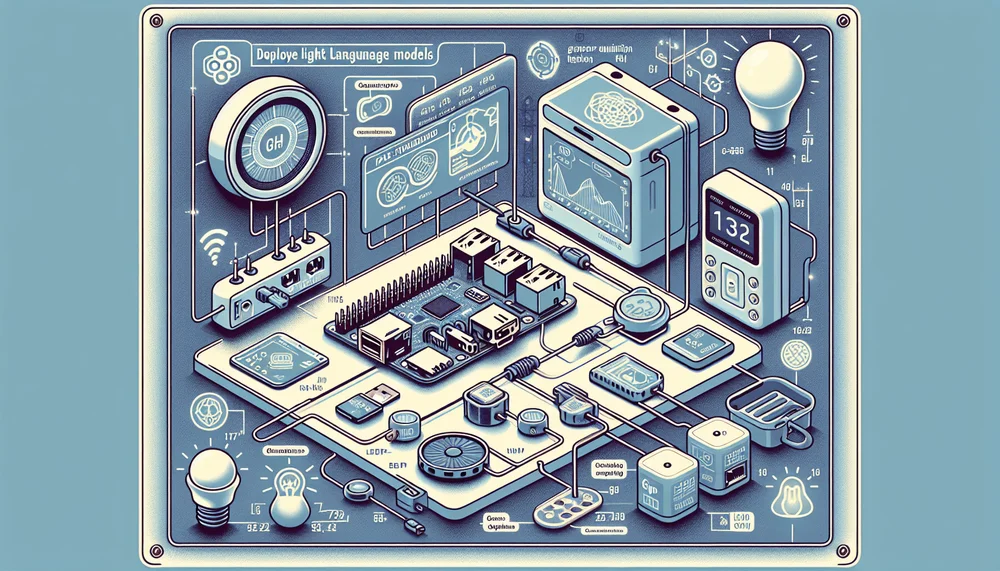
Running a raspberry pi llm setup is no longer a novelty experiment. This tutorial walks through building a working LLM chatbot on a Raspberry Pi 5 using Llama.cpp and GGUF-quantized models, then exposing it as an OpenAI-compatible API for integration with other devices.
How to Run an LLM on a Raspberry Pi 5
- Flash Raspberry Pi OS Lite 64-bit (Bookworm) and increase swap to 4 GB.
- Install build dependencies: cmake, g++, git, and libcurl.
- Clone the Llama.cpp repository and check out a pinned release tag.
- Build from source with ARM NEON, dotprod, and fp16 compiler flags enabled.
- Download a Q4_K_M GGUF model (1B–3.8B parameters) from Hugging Face.
- Test interactive inference with
llama-cliusing all four CPU cores. - Start the built-in
llama-serverto expose an OpenAI-compatible API on port 8080. - Integrate with IoT devices or Home Assistant by sending JSON requests to the API.
Table of Contents
- Why Run LLMs at the Edge?
- Hardware and Software Requirements
- Setting Up the Raspberry Pi for AI Workloads
- Building Llama.cpp from Source on ARM
- Choosing and Downloading a GGUF Model
- Running Your First Inference
- Exposing an API for IoT Integration
- Optimization Tips and Troubleshooting
- Limitations and When to Choose Cloud Instead
- What to Explore Next
Why Run LLMs at the Edge?
Running a raspberry pi llm setup is no longer a novelty experiment. The Raspberry Pi 5's improved hardware, mature ARM optimizations in Llama.cpp, and aggressive GGUF quantization formats let developers deploy 1B to 3B parameter language models on an $80 single-board computer at 10 to 18 tokens per second (depending on model size; benchmarks below). The reasons to do this are straightforward: zero cloud costs, no network dependency, complete data privacy, and elimination of network round-trip latency, which alone can shave single-digit milliseconds off each request compared to a cloud call.
Four patterns recur in production deployments:
- Offline voice assistants that parse natural language commands without phoning home
- Smart home controllers that interpret intent locally and push actions to MQTT brokers or Home Assistant
- Field-deployed IoT devices operating in environments with no reliable internet
- Privacy-first applications where sensitive queries never leave the local network
This tutorial walks through building a working LLM chatbot on a Raspberry Pi 5 using Llama.cpp and GGUF-quantized models, then exposing it as an OpenAI-compatible API for integration with other devices. The target audience is developers comfortable with Linux, the command line, and basic ML terminology.
Hardware and Software Requirements
Recommended Hardware
The Raspberry Pi 5 with 8GB of RAM is the minimum viable platform for running quantized LLMs at acceptable speeds. The 8GB matters because even aggressively quantized 3B-parameter models consume over 2GB of RAM, and the operating system, Llama.cpp runtime, and KV cache for context all compete for the remainder. The 4GB Pi 5 variant can technically run TinyLlama 1.1B, but leaves almost no headroom and will swap heavily with anything larger.
Active cooling is not optional for sustained inference. The Pi 5's BCM2712 SoC will thermal-throttle under continuous load, and LLM inference is exactly the kind of sustained, all-core workload that triggers it. The official Raspberry Pi Active Cooler or a fan case rated for the Pi 5 will keep temperatures manageable. Without active cooling, expect token generation speeds to degrade by approximately 20 to 30% during extended sessions, depending on ambient temperature and case airflow.
Active cooling is not optional for sustained inference. The Pi 5's BCM2712 SoC will thermal-throttle under continuous load, and LLM inference is exactly the kind of sustained, all-core workload that triggers it.
For storage, a Class A2 microSD card (64GB minimum) works, but an NVMe SSD connected via a Pi 5 M.2 HAT cuts model loading times to roughly a third of what microSD delivers (for example, cold-loading a 2GB GGUF file drops from around 12 seconds on microSD to around 3 to 4 seconds on NVMe). GGUF files range from 700MB to 2.5GB for the models covered here.
Use the official 27W USB-C power supply. Underpowered supplies cause undervoltage warnings and unstable behavior under full CPU load.
For context, alternative edge ai platforms like the Orange Pi 5 (with its RK3588 SoC) and the NVIDIA Jetson Orin Nano offer different trade-offs. The Jetson Orin Nano provides GPU-accelerated inference but costs 3 to 5 times more (approximately $400 to $500 versus $80 for the Pi 5). The Orange Pi 5 offers comparable CPU performance at a lower price but has fewer pre-built ARM packages and thinner community documentation.
Software Stack Overview
The software stack consists of Raspberry Pi OS 64-bit (Bookworm), Llama.cpp built from source, and GGUF-format models. GGUF replaced the older GGML format as Llama.cpp's native model format, providing better metadata handling, single-file packaging, and support for more quantization schemes. You can optionally use Python 3.11+ to wrap the server API in custom automation logic. Build dependencies include cmake, gcc/g++, and git.
Setting Up the Raspberry Pi for AI Workloads
OS Configuration and Optimization
Flash Raspberry Pi OS Lite (64-bit, Bookworm) using the Raspberry Pi Imager. The Lite variant skips the desktop environment, freeing roughly 200 to 400MB of RAM (depending on which desktop packages would otherwise be installed) that would otherwise go to the display server and GUI processes. Configure SSH and Wi-Fi during flashing for headless operation.
The single most impactful configuration change is increasing swap space. The default 200MB swap is completely inadequate. Models that fit in RAM still benefit from swap headroom because the KV cache grows dynamically during inference.
# Increase swap to 4GB
# Note: If using NVMe storage, configure dphys-swapfile to place the swap file
# on the NVMe mount point to reduce microSD wear.

# Guard: confirm dphys-swapfile config is present
[ -f /etc/dphys-swapfile ] || { echo "ERROR: /etc/dphys-swapfile not found; install dphys-swapfile or create the file manually."; exit 1; }

sudo dphys-swapfile swapoff

# Idempotent: update existing CONF_SWAPSIZE line, or append if absent
if grep -q '^CONF_SWAPSIZE=' /etc/dphys-swapfile; then
  sudo sed -i 's/^CONF_SWAPSIZE=.*/CONF_SWAPSIZE=4096/' /etc/dphys-swapfile
else
  echo 'CONF_SWAPSIZE=4096' | sudo tee -a /etc/dphys-swapfile
fi

sudo dphys-swapfile setup
sudo dphys-swapfile swapon

# Reduce swappiness so the kernel prefers RAM
# Idempotent: only add the directive if it is not already present
grep -qF 'vm.swappiness=10' /etc/sysctl.conf \
  || echo 'vm.swappiness=10' | sudo tee -a /etc/sysctl.conf
sudo sysctl -p

# Optional: Overclock to 2.8GHz (requires active cooling and quality PSU)
# First, verify your config path:
#   ls /boot/firmware/config.txt /boot/config.txt
# On a fresh Pi OS Bookworm flash, use /boot/firmware/config.txt.
# On systems upgraded from Bullseye, /boot/config.txt may be correct instead.
# Add to the appropriate config file:
# arm_freq=2800
# over_voltage_delta=50000
# gpu_freq=900
Overclocking from the stock 2.4GHz to 2.8GHz yields roughly 10 to 15% improvement in tokens per second on CPU-bound workloads; memory-bandwidth-limited operations will see smaller gains. This is only advisable with active cooling and a quality power supply. Monitor stability over several hours before relying on overclocked settings in production.
Installing Build Dependencies
# Tested with cmake >= 3.25, g++ >= 12.2 (Bookworm defaults)
sudo apt-get update && sudo apt-get install -y \
  cmake g++ git wget curl \
  python3-dev python3-pip python3-venv \
  libcurl4-openssl-dev
Building Llama.cpp from Source on ARM
Pre-built binaries exist, but building from source on the Pi 5 ensures the compiler targets the exact ARM architecture with NEON SIMD, dot product, and fp16 optimizations enabled. These matter significantly for matrix multiplication performance during inference.
This tutorial is tested against Llama.cpp release tag b3447. Pin your build to a specific release to ensure reproducibility, since binary names, CMake options, and API behavior change between releases.
git clone https://github.com/ggerganov/llama.cpp
cd llama.cpp
git checkout b3447

# Optional but recommended: verify tag integrity before building.
# This requires the Llama.cpp maintainer's GPG key to be imported into your keyring.
# git verify-tag b3447
# If you prefer SHA-based verification, confirm the commit hash with:
#   git log -1 --format='%H'
# and compare against a trusted source (e.g., GitHub's web UI for the b3447 tag).

cmake -B build \
  -DCMAKE_BUILD_TYPE=Release \
  -DLLAMA_CURL=ON \
  -DCMAKE_C_FLAGS="-march=armv8.2-a+dotprod+fp16fml" \
  -DCMAKE_CXX_FLAGS="-march=armv8.2-a+dotprod+fp16fml"

# Cap at 3 parallel jobs to avoid OOM during the link phase on an 8GB Pi 5.
# Using -j$(nproc) (4 jobs) can exhaust memory; the OOM killer may silently
# terminate a compiler process, producing a corrupt build that still exits 0.
cmake --build build --config Release -j3
The -j3 flag runs three parallel compile jobs, which is conservative enough to avoid exhausting memory on the Pi 5's 8GB during the link-heavy final phase. Build time depends on storage speed and system load; expect roughly 5 to 8 minutes on NVMe, potentially longer on microSD. The -DCMAKE_C_FLAGS and -DCMAKE_CXX_FLAGS are the critical settings: they instruct the compiler to emit instructions for ARMv8.2-A with dot product and half-precision floating point extensions, which the Cortex-A76 cores support natively. The -DLLAMA_CURL=ON flag enables libcurl-based model downloading within Llama.cpp itself, which makes the --url download flag available in some builds.
Verifying the Build
./build/bin/llama-cli --helpIf this prints the help text with available flags, the build succeeded. Any missing library errors at this stage typically indicate incomplete dependencies.
To confirm that ARM NEON/dotprod extensions were actually compiled in (a misconfigured build silently falls back to scalar code, producing correct output but significantly reduced performance):
readelf -A ./build/bin/llama-cli | grep Tag_CPU
# Expected: output containing "v8" or similar ARM64 architecture tag

# Also confirm no OOM events occurred during build:
dmesg | grep -iE "oom|killed process" | tail -5
# Expected: no output
Note on binary names: Llama.cpp renamed its binaries around release ~b2600. On older builds, llama-cli may be named main and llama-server may be named server. If you pinned the tag recommended above, the names shown in this tutorial are correct.
Choosing and Downloading a GGUF Model
Model Size vs. Performance Trade-offs
Not every model is practical on a llama pi setup. The 8GB RAM ceiling, after accounting for OS overhead and runtime memory, leaves roughly 5 to 6GB available for the model and its context window. Here are the models that work well:
| Model | Quantization | File Size | Best For |
|---|---|---|---|
| TinyLlama 1.1B | Q4_K_M | ~700MB | Fast intent parsing, classification |
| Llama 3.2 1B | Q4_K_M | ~1GB | General-purpose, Meta's latest small model |
| Gemma 2 2B | Q4_K_M | ~1.5GB | Stronger reasoning for its size |
| Phi-3 Mini 3.8B | Q4_K_M | ~2.3–2.4GB | Best quality-to-size ratio |
File sizes are approximate and vary by repository and exact quantization implementation; verify the current size on HuggingFace before downloading.
Q4_K_M quantization hits the sweet spot for edge deployment. It uses a mixed-precision 4-bit scheme with importance-weighted quantization that preserves model quality substantially better than naive 4-bit rounding, while keeping memory consumption low enough for the Pi 5. Going lower to Q2_K saves RAM but degrades output quality noticeably. Going higher to Q5_K_M or Q6_K improves quality marginally but eats into the memory budget that the KV cache needs.
A critical caveat: 7B-parameter models in Q4_K_M quantization (~3.8 to 4.1GB depending on architecture) will technically load on the 8GB Pi 5, but inference speeds drop below 2 tokens per second. For most interactive applications, this is impractical.
Downloading from Hugging Face
Raspberry Pi OS Bookworm enforces PEP 668, which prevents installing Python packages outside a virtual environment. Create a venv first:
python3 -m venv ~/llm-env
source ~/llm-env/bin/activate

# Pin version for reproducibility; update deliberately
pip install "huggingface-hub==0.23.4"

huggingface-cli download bartowski/TinyLlama-1.1B-Chat-v1.0-GGUF \
  tinyllama-1.1b-chat-v1.0.Q4_K_M.gguf \
  --local-dir ./models
Note: GGUF model repositories on HuggingFace change over time. If the repository above is unavailable, search HuggingFace for "TinyLlama 1.1B Chat GGUF" and copy the download command from the model card directly. Verify the filename matches the Q4_K_M quantization variant.
Running Your First Inference
Interactive Chat Mode
./build/bin/llama-cli \
  -m ./models/tinyllama-1.1b-chat-v1.0.Q4_K_M.gguf \
  -n 256 \
  -t 4 \
  -c 2048 \
  --interactive-first \
  -p "You are a helpful home automation assistant."
The flags break down as follows: -n 256 caps generation at 256 tokens, -t 4 uses all four Cortex-A76 cores, -c 2048 sets the context window size (this directly determines KV cache memory consumption — reduce to 512 to save approximately 300 to 500MB of RAM if memory is tight), and --interactive-first drops into chat mode immediately after the system prompt, skipping any initial model generation before the first user turn (as opposed to --interactive, which lets the model generate a response to the system prompt first).
Understanding the Performance Output
Llama.cpp prints two key metrics after each response. Prompt eval speed measures how fast it processes the input (this is mostly relevant for long prompts). Generation speed measures token output rate, which is what determines perceived responsiveness.
Approximate performance on a Pi 5 8GB at stock clocks with active cooling, measured using llama-bench with a 2048-token context, 4 threads, and zero background load (results will vary with Llama.cpp version, OS configuration, and workload):
- TinyLlama 1.1B Q4_K_M: approximately 12 to 18 tokens per second
- Phi-3 Mini 3.8B Q4_K_M: approximately 4 to 7 tokens per second
As a rough reference point, 4 to 5 tokens per second produces output at approximately comfortable reading pace for most users, so even the larger Phi-3 Mini delivers output at a usable rate.
Exposing an API for IoT Integration
Running the Llama.cpp Server
Llama.cpp ships with a built-in HTTP server that exposes an OpenAI-compatible API. This is the most practical way to integrate a Pi-hosted LLM into a broader IoT network.
First, create and store an API key. Never hardcode secrets in commands or scripts:
# Generate a strong random key (run once)
openssl rand -hex 32 > ~/.llm_api_key
chmod 600 ~/.llm_api_key

# Set the environment variable (add to ~/.bashrc or ~/.profile for persistence)
export LLM_API_KEY="$(cat ~/.llm_api_key)"
Now start the server:
./build/bin/llama-server \
  -m ./models/tinyllama-1.1b-chat-v1.0.Q4_K_M.gguf \
  --host 0.0.0.0 --port 8080 \
  --api-key "${LLM_API_KEY:?LLM_API_KEY must be set}" \
  -t 4 -c 2048
⚠ Security warnings:
- Binding to
0.0.0.0makes the server accessible from any device on the local network. For any networked use, always set a strong, unique API key as shown above. Clients must include anAuthorization: Bearer <your-key>header with every request. Without this, any device on your LAN can query the server without restriction. - No TLS: The API key is transmitted in plaintext over HTTP. On any Wi-Fi LAN, a passive observer can capture the bearer token. For deployments beyond a fully trusted wired network, either bind to
127.0.0.1and access via SSH tunnel, or terminate TLS at a reverse proxy (e.g., nginx or Caddy) in front of the server. - Verify authentication is enforced: The
--api-keyflag behavior is version-sensitive in Llama.cpp. After starting the server, confirm that unauthenticated requests are rejected:
# This MUST return HTTP 401. If it returns 200, authentication is not
# enforced at this release tag — do NOT expose the server on a network.
curl -s -o /dev/null -w "HTTP_STATUS:%{http_code}
" \
  http://localhost:8080/v1/models
Querying from Another Device
Any device on the same network can now send requests using the standard OpenAI chat completions format. Ensure LLM_API_KEY is set to the same key value on the client machine:
curl http://raspberrypi.local:8080/v1/chat/completions \
  -H "Content-Type: application/json" \
  -H "Authorization: Bearer ${LLM_API_KEY:?LLM_API_KEY must be set}" \
  -d '{
    "messages": [
      {"role": "system", "content": "You are a home automation intent parser. Respond only with JSON."},
      {"role": "user", "content": "Parse this command: turn off kitchen lights and set thermostat to 68"}
    ],
    "temperature": 0.1
  }'
Setting temperature to 0.1 makes the output near-deterministic, which is exactly what structured intent parsing needs.
Note: If raspberrypi.local does not resolve (common on Windows without Bonjour, or on networks that block mDNS), use the Pi's IP address directly. Find it by running hostname -I on the Pi.
Connecting to Home Assistant
The Pi LLM can serve as a local intent parser in a Home Assistant pipeline. The architecture is straightforward: voice input goes to Whisper.cpp (also running locally) for transcription, the text goes to the LLM server for intent extraction as structured JSON, and the parsed intent triggers Home Assistant service calls via its REST API or an MQTT broker. This keeps the entire pipeline offline and on the local network.
RAM budget note: Running Whisper.cpp and Llama.cpp simultaneously on a Pi 5 8GB is feasible but requires careful memory management. Whisper base.en (~150MB) plus a 1B GGUF model (~700MB) plus OS overhead still fits in 8GB, but larger model combinations may require running the services sequentially rather than concurrently.
Optimization Tips and Troubleshooting
Maximizing Inference Speed
On the Pi 5 (homogeneous quad-core Cortex-A76, no big.LITTLE architecture), taskset provides minimal benefit since all cores are identical. Ensure -t 4 is set to use all cores. On heterogeneous SoCs such as the RK3588 (Orange Pi 5), pin inference to the big cores:
taskset -c 4-7 ./build/bin/llama-server \
  -m ./models/tinyllama-1.1b-chat-v1.0.Q4_K_M.gguf \
  --host 127.0.0.1 --port 8080 \
  --api-key "${LLM_API_KEY:?LLM_API_KEY must be set}" \
  -t 4 -c 2048
Use --mlock only after confirming sufficient free RAM: run free -h and verify that available memory exceeds the model file size plus at least 1GB of headroom. On memory-constrained setups, --mlock calls mlock() to pin the entire model in RAM, and if insufficient memory is available the process will be silently killed by the OOM killer. If the process exits unexpectedly after adding --mlock, this is the likely cause — remove the flag and rely on the default memory-mapped loading instead.
If the application only needs short responses, reduce the context window from 2048 to 512, which shrinks the KV cache and frees RAM. NVMe storage reduces cold-start model loading time compared to microSD (exact improvement depends on model size and card speed).
Common Issues
The "mmap failed" error means the system cannot allocate enough contiguous memory. The recommended fix is to first ensure swap is increased as described earlier and that no other memory-heavy processes are running. If the error persists after swap is properly configured, add --no-mmap to the launch command to disable memory-mapped model loading entirely. Note that --no-mmap forces the entire model to be copied into anonymous RAM rather than mapped from the file, which increases peak memory consumption — on a memory-constrained system this can make an OOM condition worse, not better, if swap is not already in place.
Monitor thermal throttling in real time:
watch -n 1 'vcgencmd measure_temp; free -h | grep Mem; vcgencmd get_throttled'This uses semicolons instead of && so that all three commands always execute regardless of whether an earlier one fails (e.g., if vcgencmd encounters a firmware issue).
If get_throttled returns anything other than 0x0, the Pi is or has been throttled. Non-zero values are bitmasks: bit 0 = undervoltage detected now, bit 2 = currently throttled, bit 16 = undervoltage has occurred since boot, bit 18 = throttling has occurred since boot. For example, 0x50000 means undervoltage and throttling have occurred but are not currently active. See the Raspberry Pi documentation for full bitmask decoding.
The first token is slow because the model must process the entire prompt before generating output. For repeated queries with the same system prompt, keeping the server running avoids reparsing the system prompt on every request.
Limitations and When to Choose Cloud Instead
Sub-4B parameter models have a real quality ceiling. They handle intent parsing, simple question answering, text classification, and short-text summarization well but struggle with long-form generation, multi-step reasoning, complex code generation, and multi-turn conversations that require deep context tracking. To put that concretely: a multi-step math problem that GPT-4 solves in one pass will typically require three or four retries on a 3B model, or fail outright.
The pragmatic approach is hybrid: use edge inference for latency-critical, privacy-sensitive, or high-frequency requests that need simple processing, and route complex queries to a cloud LLM as a fallback.
The pragmatic approach is hybrid: use edge inference for latency-critical, privacy-sensitive, or high-frequency requests that need simple processing, and route complex queries to a cloud LLM as a fallback. This gives the best of both worlds without pretending a 1B model matches GPT-4.
What to Explore Next
This setup produces a functional, network-accessible LLM running entirely on a Raspberry Pi 5 with no cloud dependency. From here, several productive directions open up. Experiment with different GGUF quantization levels to find the right quality-speed trade-off for specific applications. Combine Whisper.cpp with Llama.cpp on the same Pi for a fully local voice assistant pipeline, or deploy multiple Pis across a home network, each running a specialized model for different tasks: one for intent parsing, another for summarization, a third for text classification.
The toolchain is mature enough that edge ai deployment on consumer hardware is a genuine engineering option.
The toolchain is mature enough that edge ai deployment on consumer hardware is a genuine engineering option.